Does Facebook Notify Screenshots of Messenger, Story, Post?
No, Facebook does not notify users when someone screenshots their Stories, posts, or photos. The only exception is Messenger’s Vanish Mode, which alerts both users to screenshots. Regular Messenger chats, Facebook posts, and Stories remain screenshot-safe, though policies may change over time.
Basically, Facebook doesn’t tell anyone if you screenshot anything.
The only exception is disappearing messages in Messenger, that’s the one situation where they’ll get a notification. Everything else (posts, profiles, photos, stories, regular chats) you can screenshot without anyone knowing.
How About Facebook App (Posts, Photos, Profiles)
If you don’t want to be alerted when you screenshot facebook, you can for these activities such as
- Posts
- Comments
- Timelines
- Photos
- Profile pages
Facebook doesn’t notify the other person.
The platform doesn’t detect or track screenshots because sharing and reposting are built into how Facebook works.
Facebook doesn’t tie into the operating system’s screenshot function, so no internal trigger or API detects screen captures.
Your phone does the screenshot and Facebook never sees it.
Does Facebook Notify When You Screenshot a Story?
No, Facebook does not notify users when someone screenshots their Story.
Messenger’s Vanish Mode is the only time, it will alert users of screenshots. Regular Stories remain private, but always check the latest Facebook policies, as features and notifications can change.
Screenshots of Facebook Stories are silent.
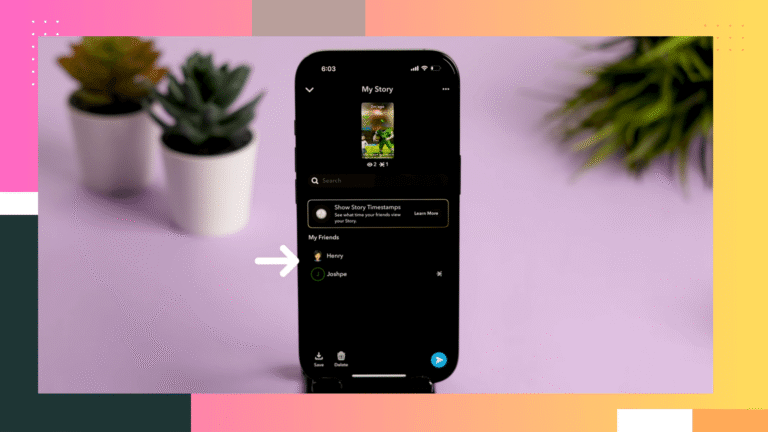
Unlike Snapchat, the creator won’t receive any notification.
If someone can view your story, they can screenshot it without you ever knowing. The only protection you have is audience control, not screenshot prevention.
Messenger (Regular Chats vs. Disappearing Messages)
Okay, so here’s the deal with Messenger and screenshots, because people get super confused about this.
This is the only place where things change.
Regular Messenger Chats
- Normal messages
- Photos and videos
- Calls
- Group chats
You can screenshot anything in a standard Messenger chat without alerting the other person.
Disappearing Messages (formerly Vanish Mode)
If disappearing messages are turned on in a one-on-one chat, screenshot behavior changes:
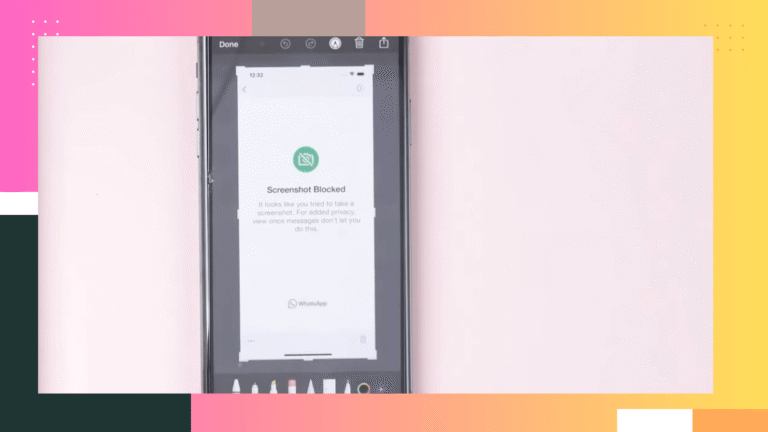
Screenshots trigger an alert for both people.
Messenger treats these messages as temporary and encrypted, so any attempt to save or capture the conversation triggers a notification.
The same applies to:
- View-once photos or videos
- Secret Conversations (older feature on some devices)
If the chat is ephemeral or encrypted for privacy, screenshots are not silent.
Does This Facebook Screenshort Alert Apply to All Platform?
These rules apply whether you’re using:
- iPhone/iPad
- Android
- Messenger.com
- Facebook desktop browser
The trigger depends on the type of chat and not the device.
How to Screenshot Facebook Content
You take screenshots the same way you normally would on your device. Facebook doesn’t block or interfere with the process.
iPhone/iPad
- Face ID models: Side button + Volume Up
- Touch ID models: Home button + Power
Screenshots save to the Photos app under Screenshots.
Optional: enable Back Tap in accessibility settings for a shortcut trigger.
Android
- Standard: Power + Volume Down
- Some models offer gestures (three-finger swipe) or a screenshot toggle in Quick Settings.
Scrolling screenshots are available on many newer Android devices.
Windows
- Full screen: PrtSc
- Active window: Alt + PrtSc
- Auto-save: Windows + PrtSc
- Snipping tool: Windows + Shift + S for precision captures.
Mac
- Full screen: Command + Shift + 3
- Selection: Command + Shift + 4
- Recording or advanced controls: Command + Shift + 5
Files save to your desktop unless customized.
Summary
Screenshotting disappearing messages without consent defeats the purpose of the feature. Messenger alerts the other person by design, and bypassing it with external tools is questionable and may violate policies depending on the situation.
In Messenger, screenshots usually don’t notify anyone, that’s true for normal chats, photos, videos, calls, and group chats.
The exception is disappearing messages (Vanish Mode), view-once media, or Secret Conversations. Screenshot those, and the other person will get a notification because the chat is temporary or encrypted.
TL;DR: Regular chats = safe to screenshot. Disappearing/encrypted stuff = the other person will know.